Codewright Studio app icon

Make anything on your Mac.

Codewright Studio is a maker's studio powered by free AI models that run on your own machine. Describe what you want and make images, video, 3D, games, music, voice, apps, and sites. An assistant works alongside you the whole way. No cloud. No subscription.

Early access · building in the open
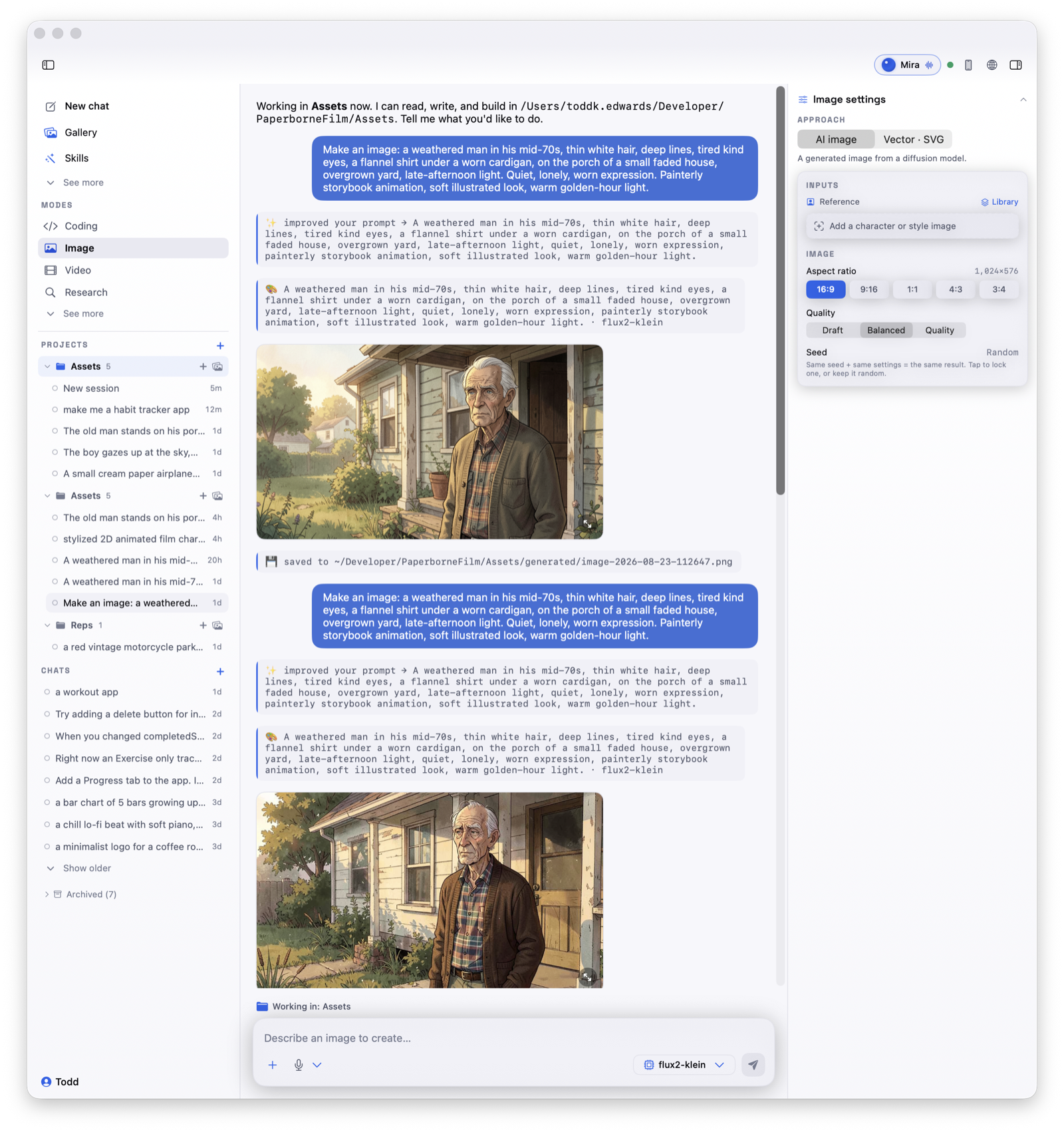
Codewright Studio running on a Mac: modes on the left, an assistant, and a maker's workspace on the right

One tool, many makers

Everything you make, in one place.

Pick what you are making and Codewright picks the right tool and model for it. All of it runs locally, on your Mac.

🖼️
Images
Art, icons, characters
🎬
Video
Short clips with sound
🧊
3D scenes
Modeled and rendered
🎮
Games
Playable, from a sentence
🎵
Music
Loops and full tracks
🎙️
Voice
Natural speech, read aloud
💻
Apps & sites
Built piece by piece
📐
Printable CAD
Real parts to print
Mira
Your studio assistant, in every session

You are never doing it alone.

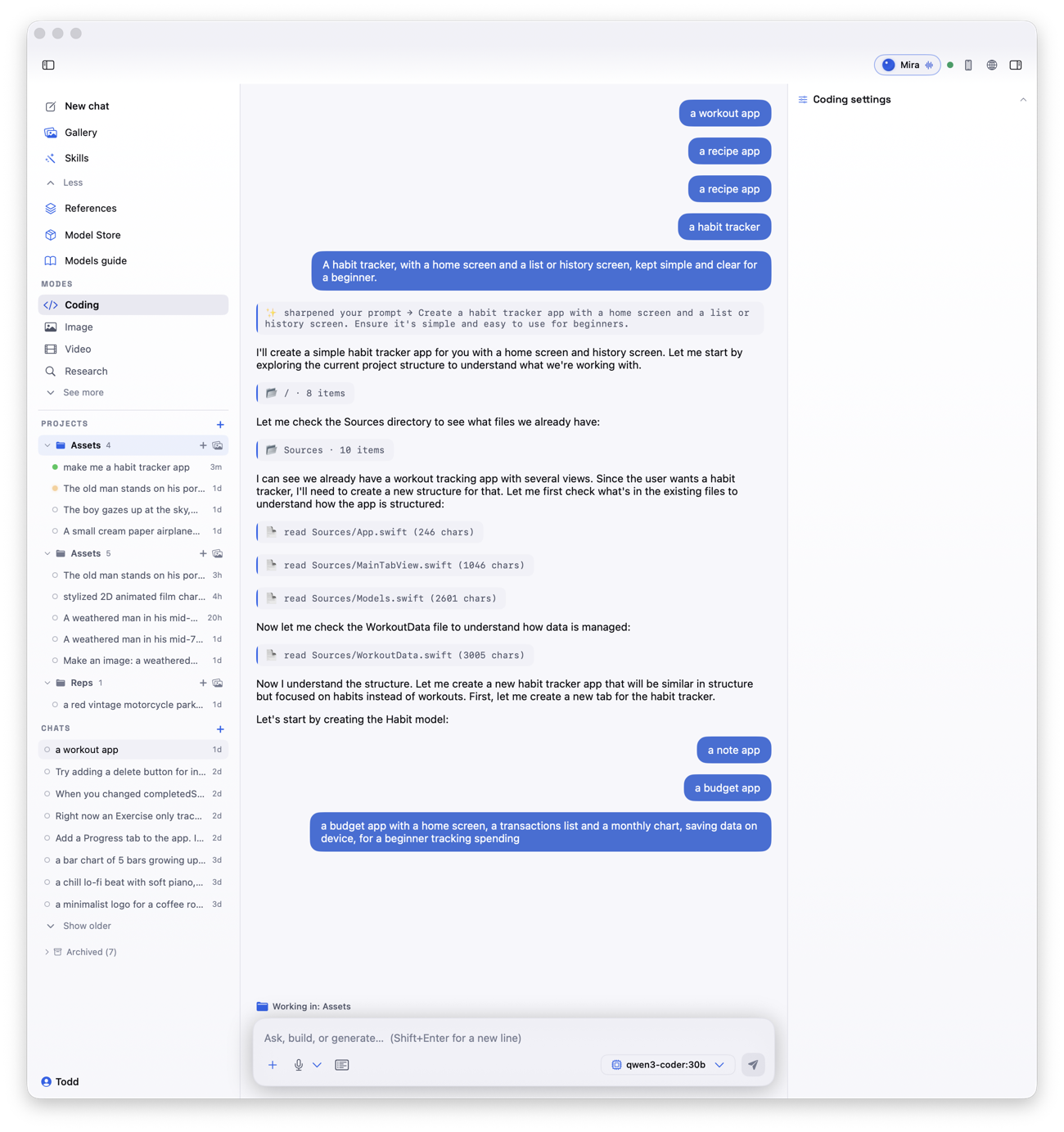
Meet Mira. She lives in every session, not off in a separate window. She talks you through what is happening, narrates as she works, checks the result, and reads back what she did. Ask in plain words and she takes it from there.

  • Guides you from a blank page to a finished thing
  • Speaks as she works, so you always know what is going on
  • Verifies the result instead of just handing it over
  • Voice on by default, and off whenever you want quiet
Mira, the built-in assistant, speaking and working inside a Codewright Studio session
Get better as you go

A coach that makes you sharper.

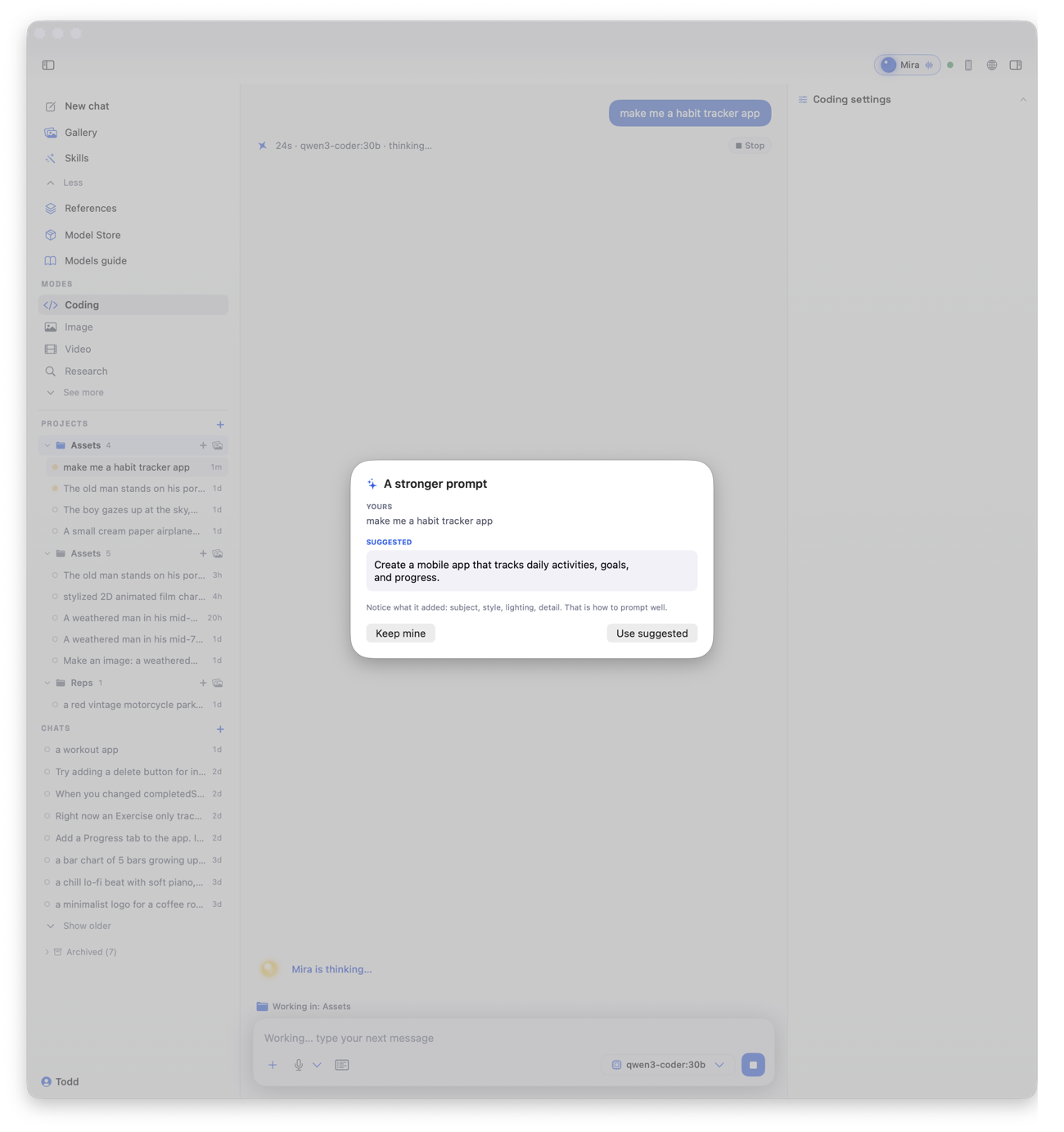
Prompt Coach sits in every mode. Before it runs, it shows you how to ask for a stronger result, then suggests the next move once you have one. You are not just getting things made, you are learning how to make them well.

  • Works across every mode, from images to code
  • Turns a rough idea into a clear, specific ask
  • Suggests smart next steps and variations
  • Teaches by example, on your own projects
Prompt Coach suggesting a stronger prompt and next steps inside Codewright Studio
Your models, kept current

Find the models that run on your Mac.

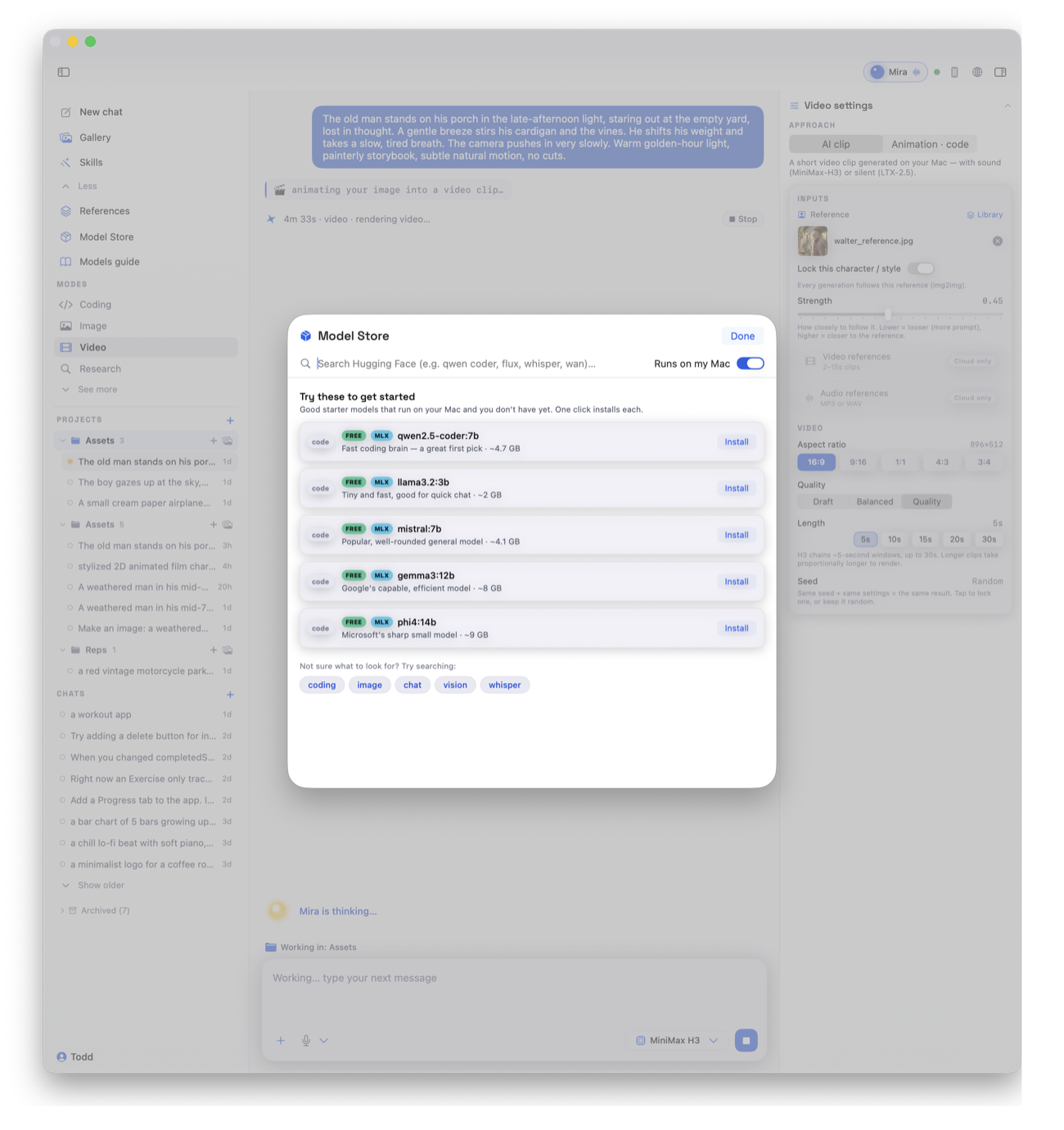
The Model Store shows you what actually fits your machine, then installs it in a click. When a newer or better model comes out, it tells you, so you are always building with the best your Mac can run. The models are yours to keep and swap.

  • Sized to your Mac, no guessing what will run
  • One-click install, no terminal, no setup
  • Tells you when new and updated models drop
  • Free local models, yours to keep and swap
The Model Store in Codewright Studio, showing models sized to your Mac with one-click install
Nothing to configure

It sets itself up for you.

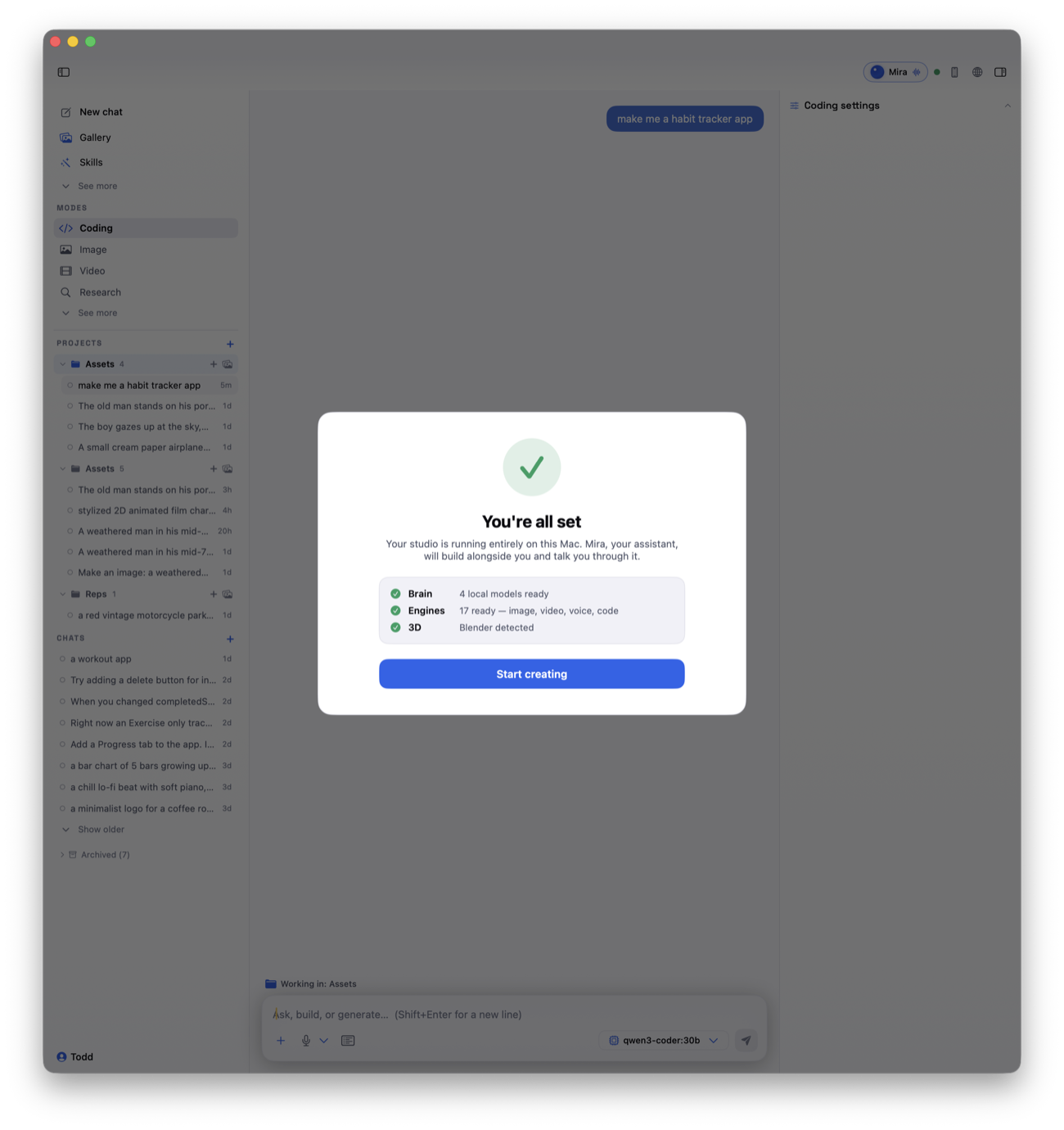
Open it and it looks at your Mac, then quietly pulls the right-sized models in the background. No terminal, no config files, no hunting for the right download. By the time you are ready, so is it.

  • Reads your Mac and picks sensible defaults
  • Pulls the right models before you need them
  • Guides the one or two installs it cannot automate
  • Hands you a first project and a warm hello
Codewright Studio first-run setup, detecting the Mac and preparing the right models

Why local

The power of local AI, without the sharp edges.

Raw local models are built for experts. Codewright Studio is the part that makes them usable by everyone else.

💻

Runs on your machine

Everything happens on your Mac. No cloud account, no API bill, no monthly fee. The only limit is your own computer.

🛡️

Private and safe

Your work never leaves your device. And if a model ever tries to run something risky, the studio stops and asks you first.

🎛️

You own it

Buy once, keep it. Swap models in and out yourself, try a new one the day it drops, and keep what works for you.

The promise

Local by default. Yours to keep.

The whole idea is that you don't rent the ability to create. You own it.

On your Mac
Everything runs on your own machine.
No cloud
Your work is never uploaded.
No subscription
Buy once at launch. It stays yours.
Fully yours
Swap models and make it fit you.

Codewright Studio is being built in the open. What you see today is early, and it's getting better every week.

Questions

Everything you might be wondering.

What can I actually make with it?

Images, short videos with sound, 3D scenes, printable CAD parts, small games, music, spoken voice, and working apps and sites. You describe it in plain words and the studio makes it, one step at a time.

Do I need to know how to code?

No. You describe what you want and an assistant handles the how. If you do want to understand what you made, it explains as it goes.

Does it really run locally?

Yes. The AI models run on your own Mac. There is no cloud account and no per-use bill. Your work never leaves your machine unless you choose to share it.

What are the limits?

Your computer. Bigger, faster Macs run bigger models and make things quicker. The Model Store only offers you models that fit your machine, so nothing you install will be too much for it.

What will it cost?

Early access is free while it is being built. At launch it will be a simple one-time price, never a subscription.

When can I use it?

It is in active development right now, and I am sharing the whole journey. Leave your email for early access and I will tell you the moment it opens up.

Get early access.

Codewright Studio is being built in the open. Leave your email and I'll let you in as it's ready.